

 br
br

Learn How
 Keep Scrolling
Explore por tópico
How to Register for Online Access to the Residential Loan Portal
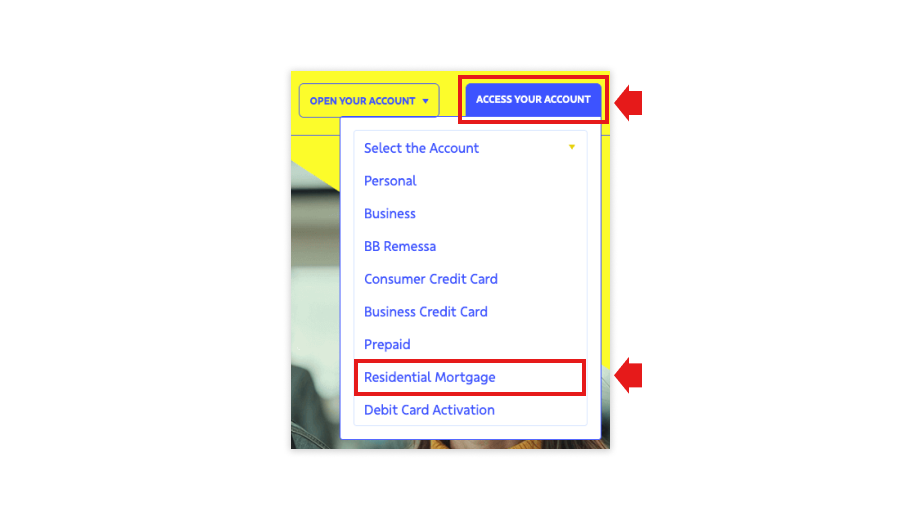
1. To access the Residential Loan Portal, visit our website and click “ACCESS YOUR ACCOUNT”, selecting “Residential Mortgage” from the dropdown menu, or access the portal directly by clicking on the link: https://bbamericas.yourmortgageonline.com.
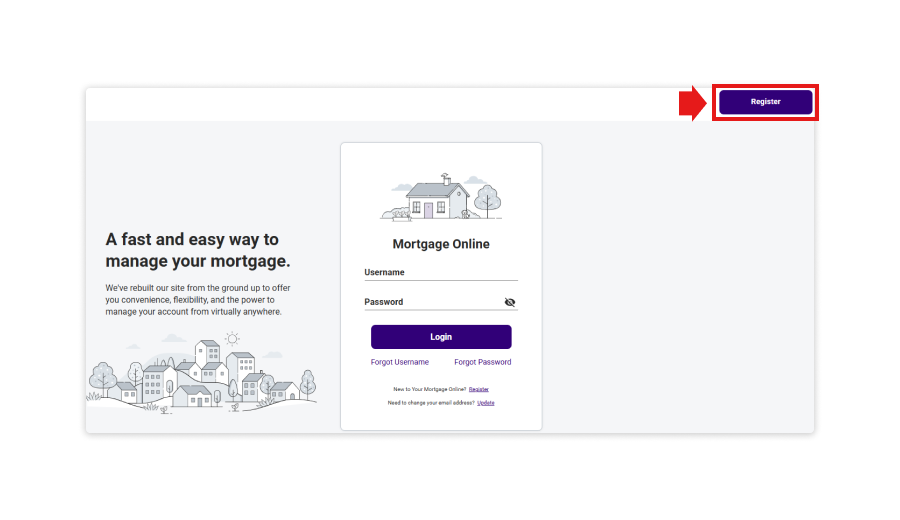
2. Click “Register”.
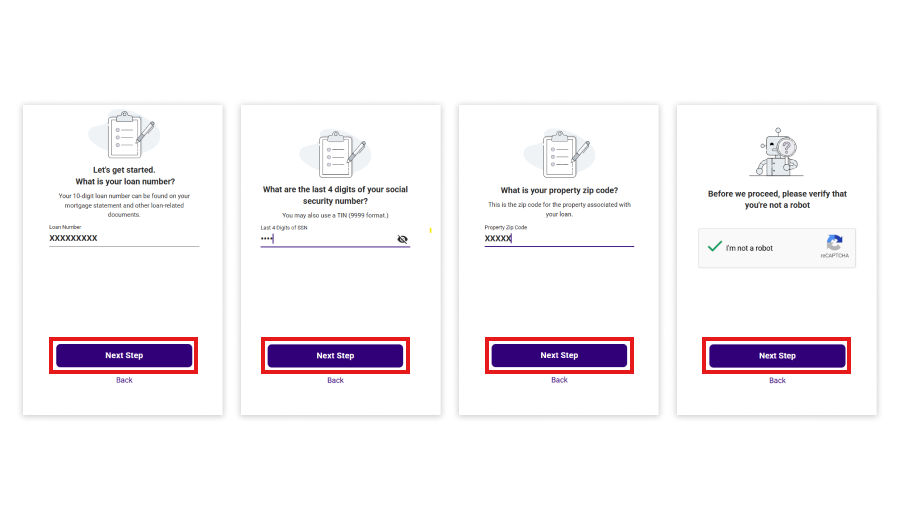
3. On the Account registration page, enter your 10-digits loan number, the last 4 digits of your Social Security Number, EIN or TIN associated with the loan number, and Zip Code of the property address associated with the loan number. Click “Next Step”.
Important:
- Your loan number can be located on your Mortgage Statement or Payment Coupon;
- The reCAPTCHA is a required step to ensure that it is you – and not a robot – completing the registration process.
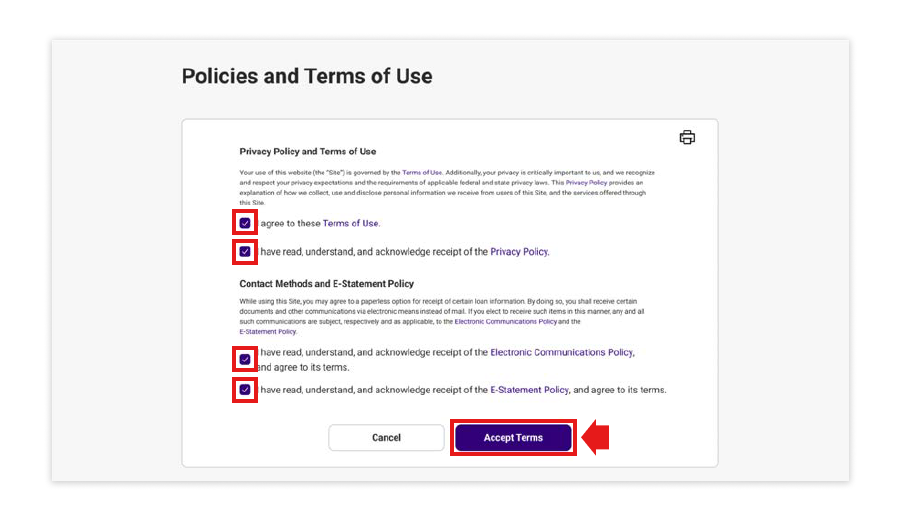
4. Read the Terms and Conditions displayed on this screen. To agree, select all the “I agree” and “I have read” options. Then, click on “Accept Terms”.
5. To continue with your enrollment, please fill in the fields below with the required information. Once all fields are completed, click “Next Step”.
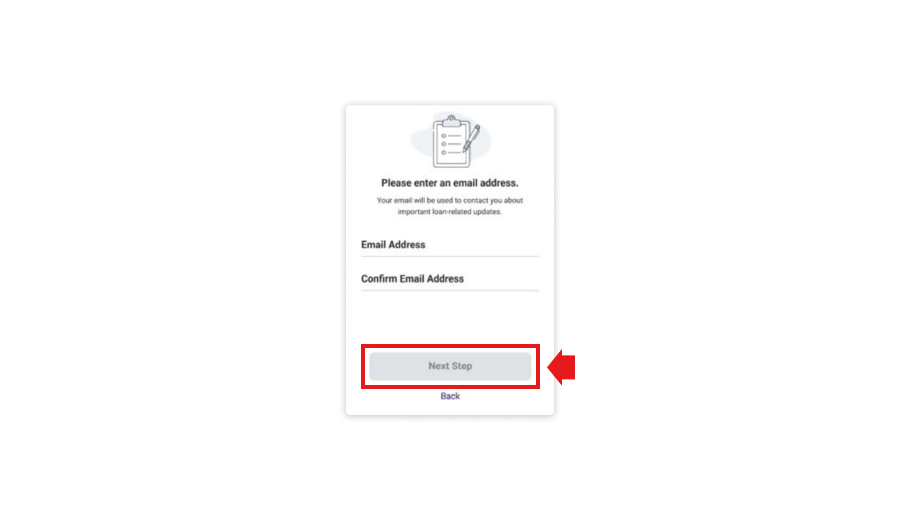
-
Important:
- Your username must contain at least 5 characters, which may include letters or numbers. Your email address cannot be used as your username.
- Your password must contain at least 10 characters, including at least 1 uppercase letter, 1 lowercase letter, and at least 1 number.
- The password confirmation field must be manually re-entered; copy and paste from the field above is not allowed.
- You will need to enter your username and password each time you access the online portal. Please make sure to store this information in a secure location for future use.
6. A confirmation message will be displayed indicating that an email has been sent to your email address. Please access your inbox and look for a message sent from noreply@yourmortgageonline.com. This email contains a link that you must click to complete your enrollment process. This link is valid for 72 hours. If you cannot find this email in your inbox, please check your spam or junk folder to ensure it was not redirected there.
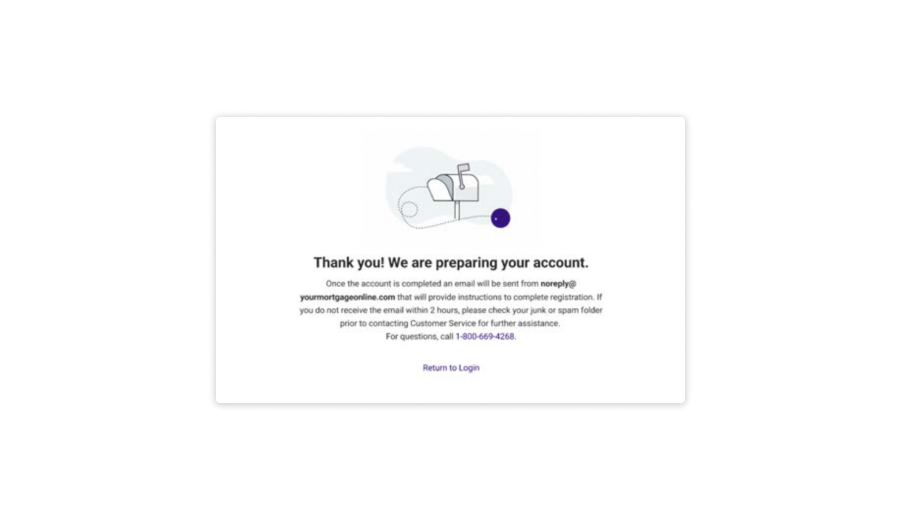
7. Open the verification email and click on the link.
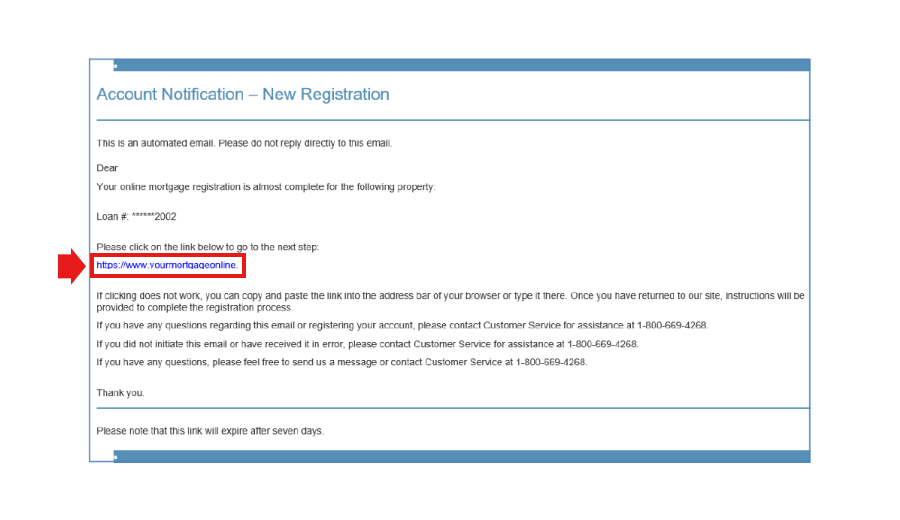
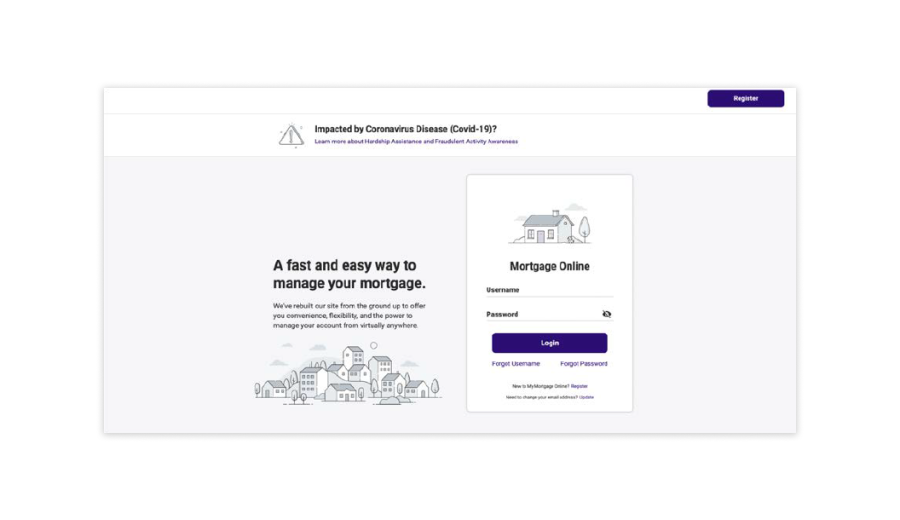
8. After following the instructions in the email and clicking the link, your enrollment will be completed. The website homepage will be displayed, and you will be able to access your loan information online. Enter your previously registered username and password to log in to your account.
Important:
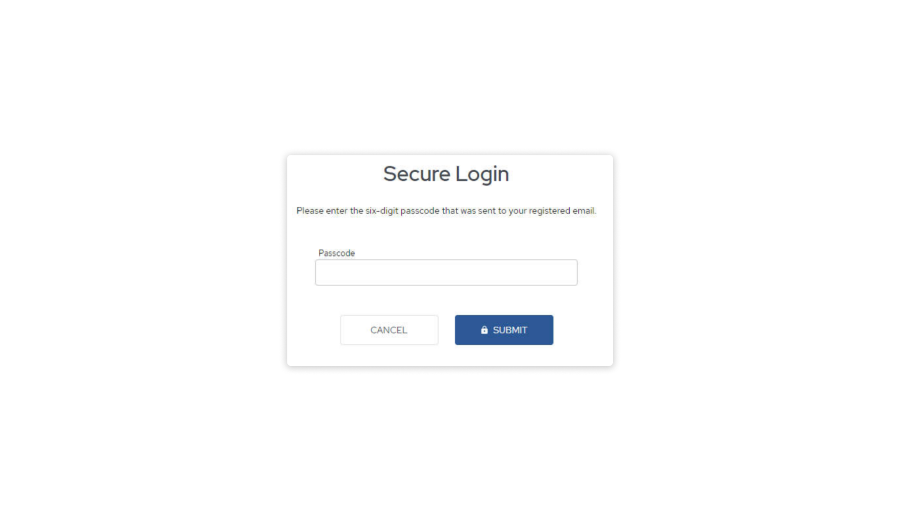
If you access the website from a different computer or browser, the system will send a one-time passcode to your registered email. This code must be entered in the “Passcode” field, as shown below. All devices will be automatically saved after login.
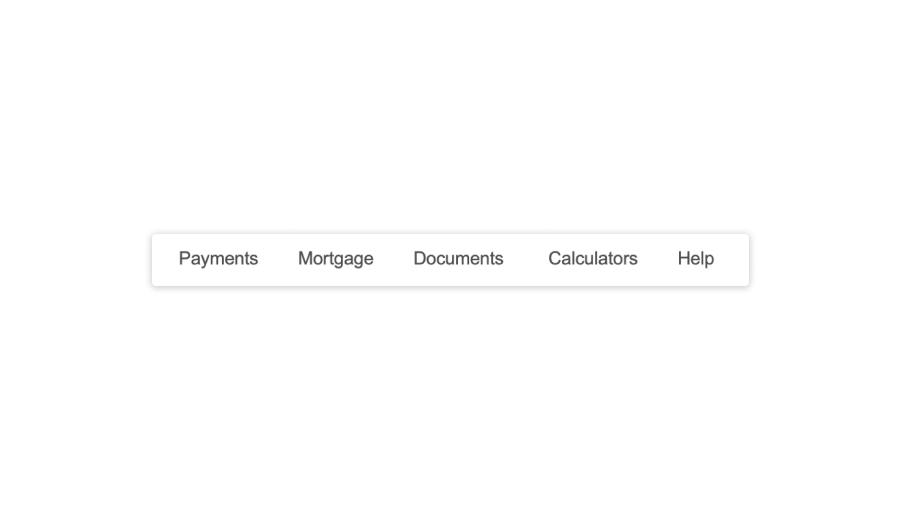
9. Once you access the online portal, the following options will be available:
Keep Scrolling