br
br

Learn How
 Keep Scrolling
Explore por tópico
External Transfers (ACH) in the BB Americas Bank App
To Friends & Family accounts at other U.S. Banks.
Cost: $2 (Temporarily waived)
Receive money in: 2-5 Business Days
Limits
Daily Maximum: $3,000.00
Monthly Maximum: $10,000.00.
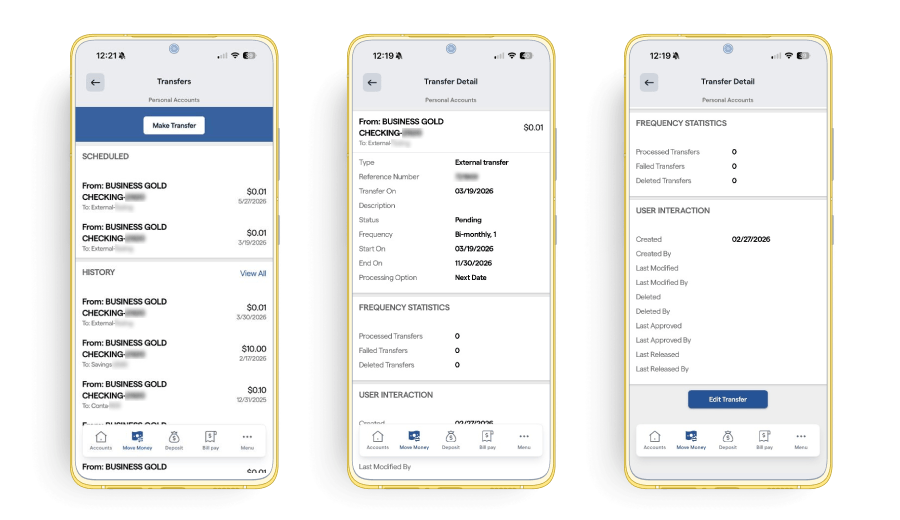
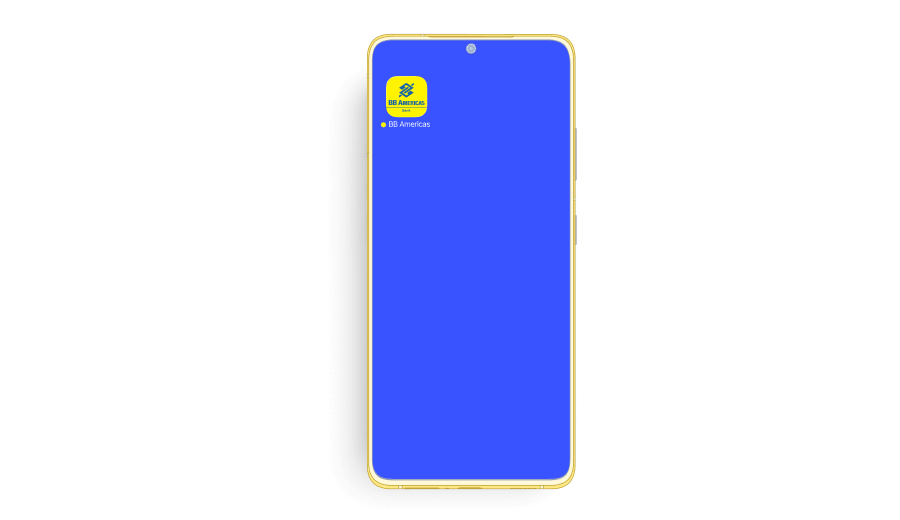
1. Open the “BB Americas Personal” Mobile App.
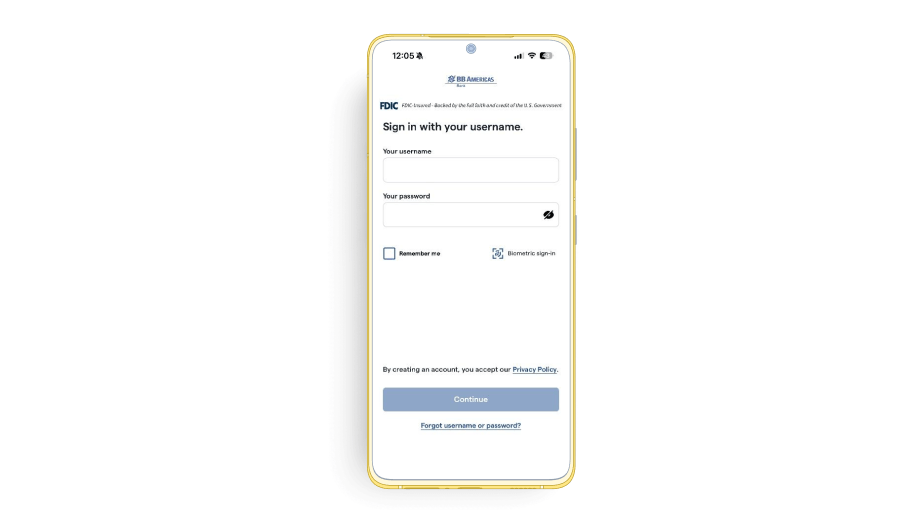
2. Enter your “Username” and “Password”. Click “Continue”.
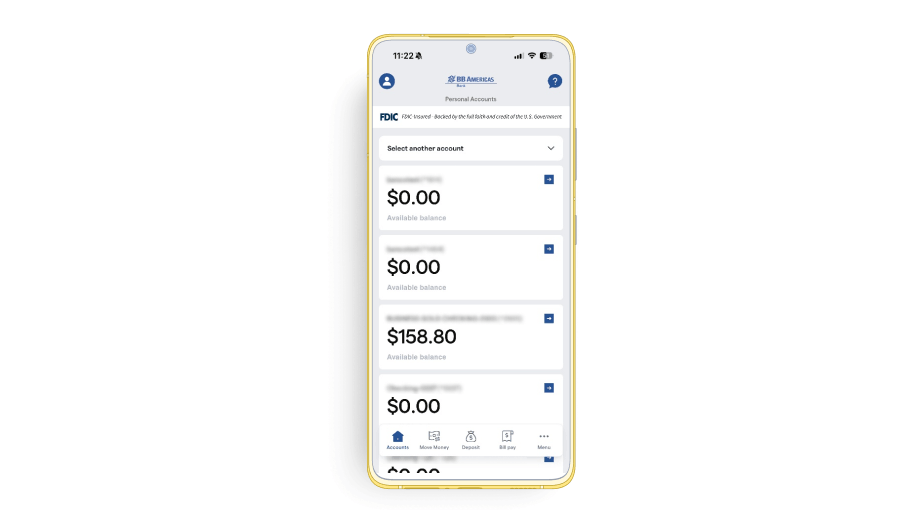
3. Select “Move Money” in the bottom.
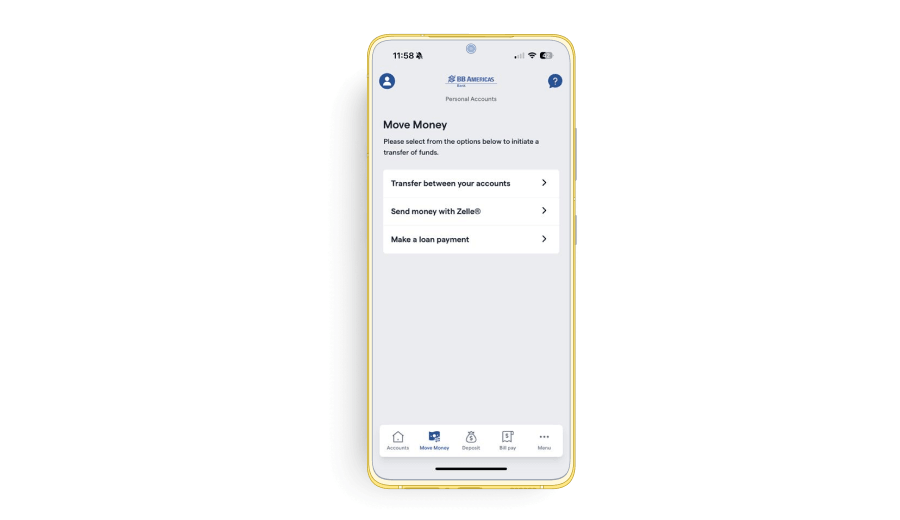
4. Select “Transfer between your accounts”.
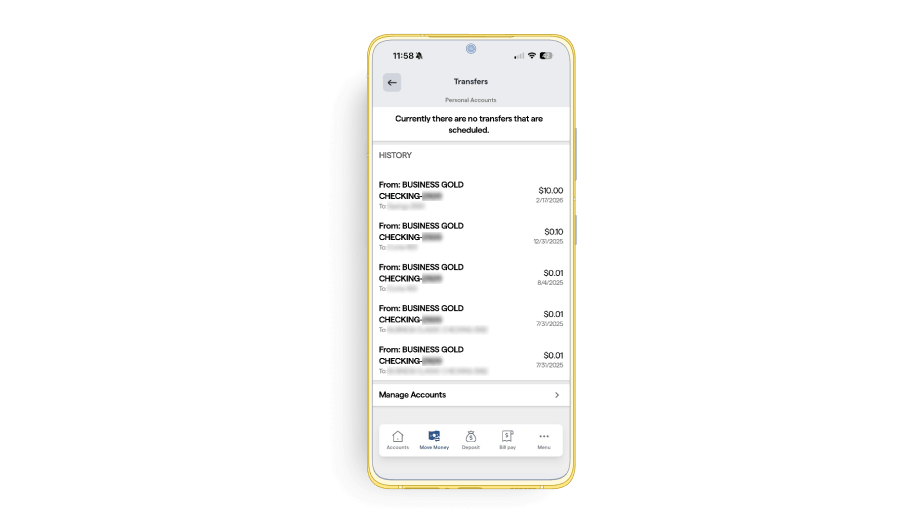
5. Before starting an External Transfer to friends and family accounts at other U.S. Banks, you must add the beneficiary’s bank account. To do this, click “Manage Accounts”.
6. Click “Add Accounts”.
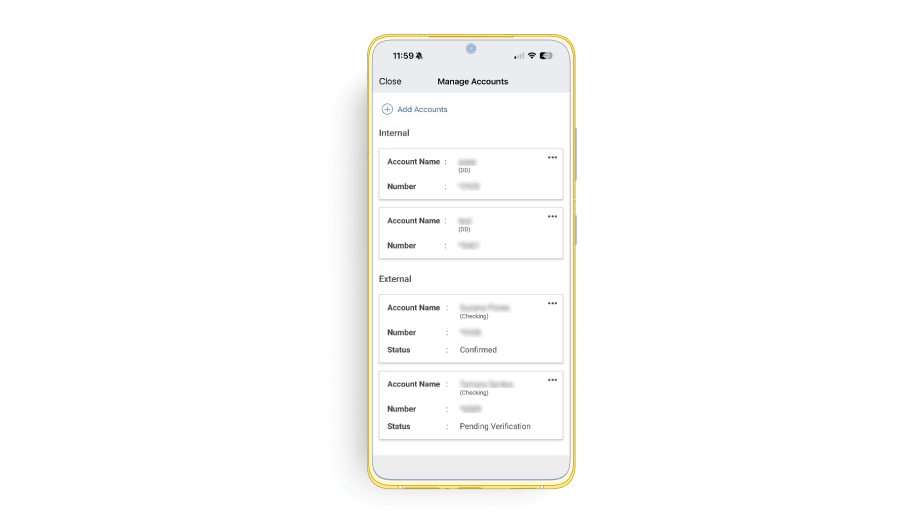
7. Select “External” and fill out the required fields with the beneficiary’s bank account details. Once done, click “Continue” to proceed.
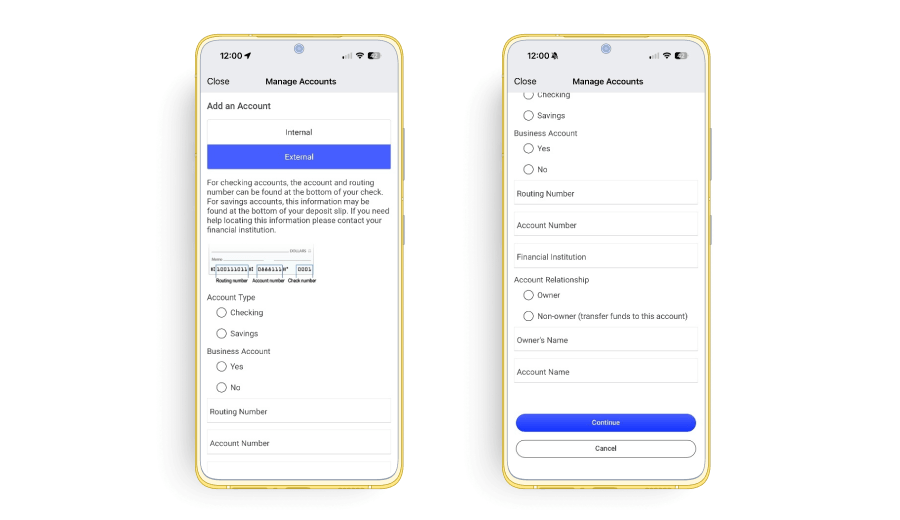
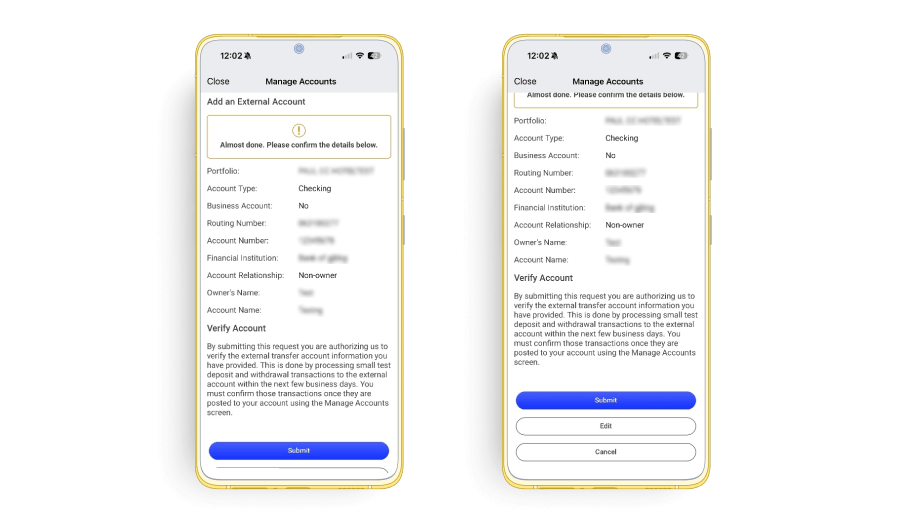
8. Review the information and select the action that best applies: “Submit”, “Edit”, or “Cancel”.
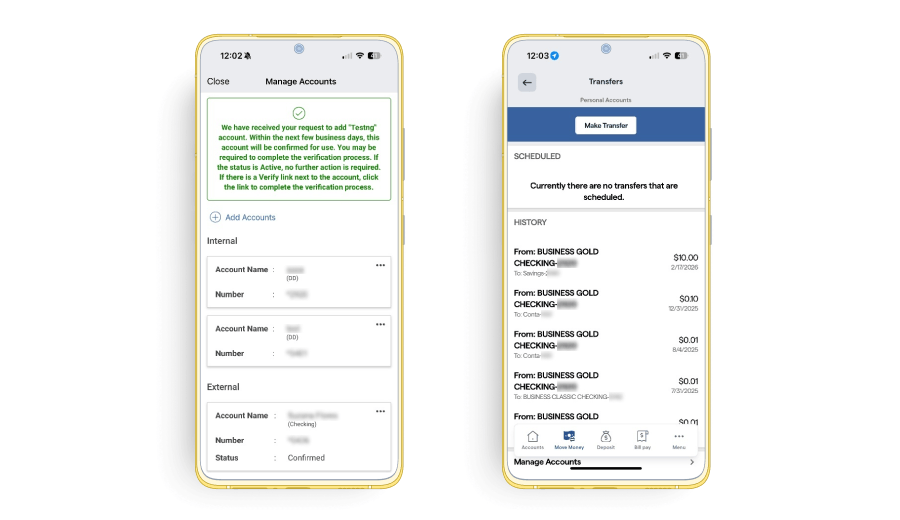
9. After adding the account, click “Close” and then “Make Transfer” at the top of the screen.
10. Fill in the following fields, then click “Continue” and “Submit Transfer”.
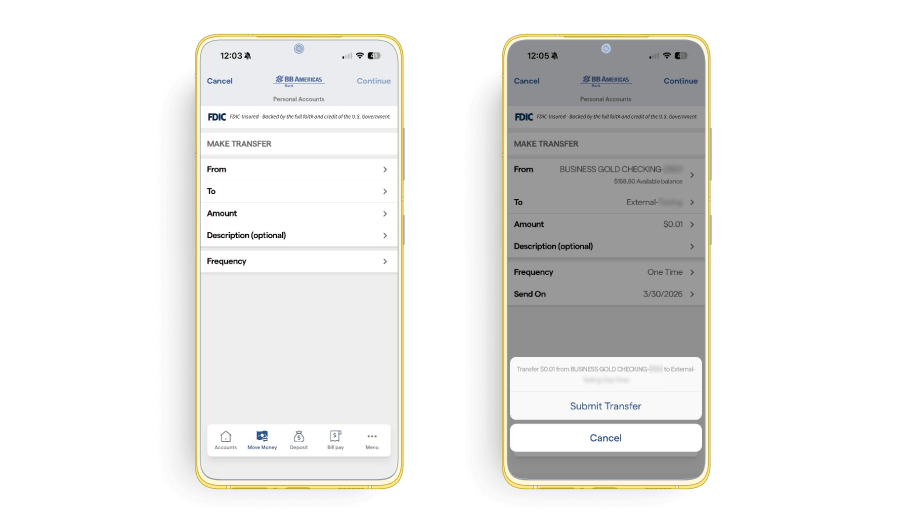
Note: For recurring transfers, you will also need to fill in the following fields: Frequency: how often the transfer should occur; Start Date: the initial date of the transfer; and End On: the date until which the transfer should recur.
11. After you click “Submit Transfer”, your transfer is complete. If you wish to make another transfer, select the “Make Transfer” option.
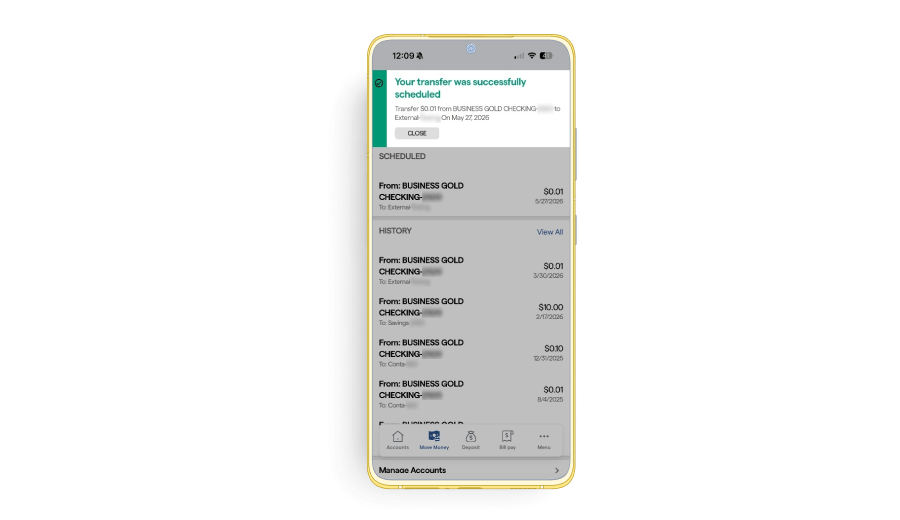
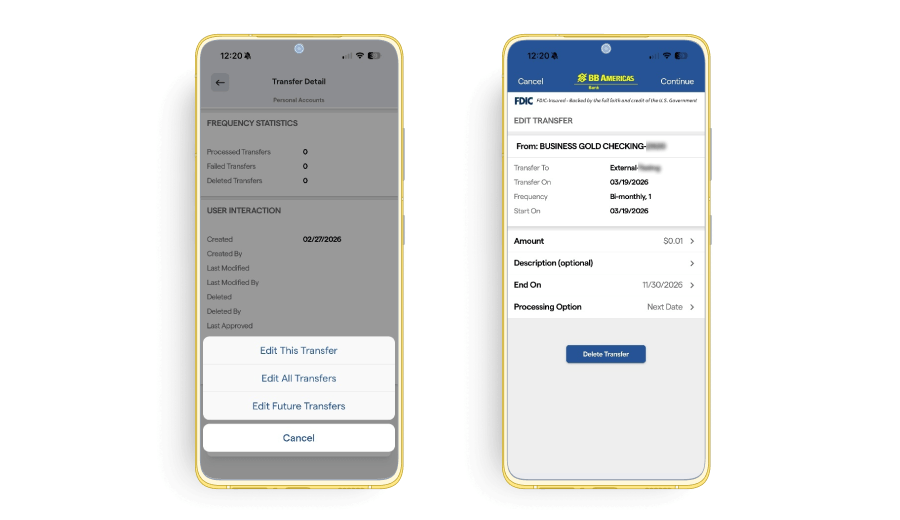
12. Your transfer will appear under the “Scheduled” or “History” section. You may revisit this section at any time and “View Details” of your recurring transfer, “Edit” the transfer, or “Delete” the recurring transfer.