br
br

Learn How
 Keep Scrolling
Explore por tópico
How to Set Up Automatic Payments
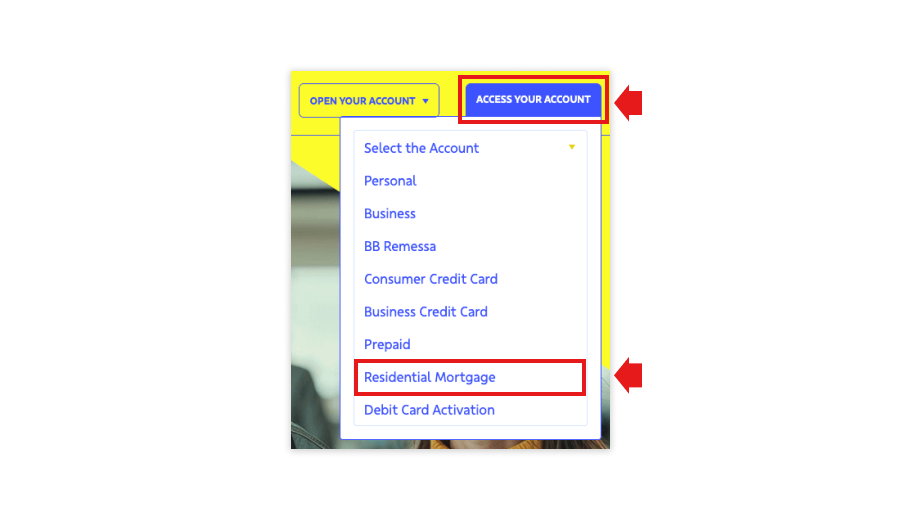
1. To access the Residential Loan Portal, visit our website and click “ACCESS YOUR ACCOUNT”, selecting “Residential Mortgage” from the dropdown menu, or access the portal directly by clicking on the link: https://bbamericas.yourmortgageonline.com.
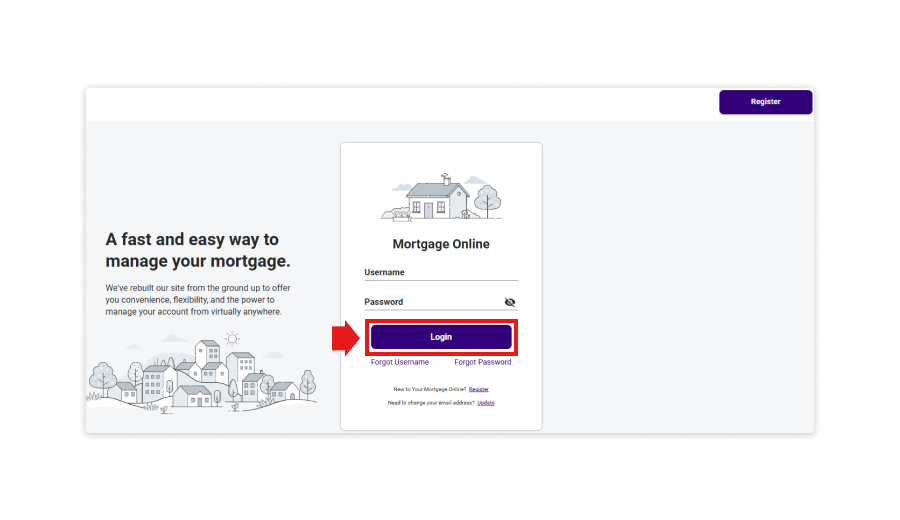
2. Click “Login”.
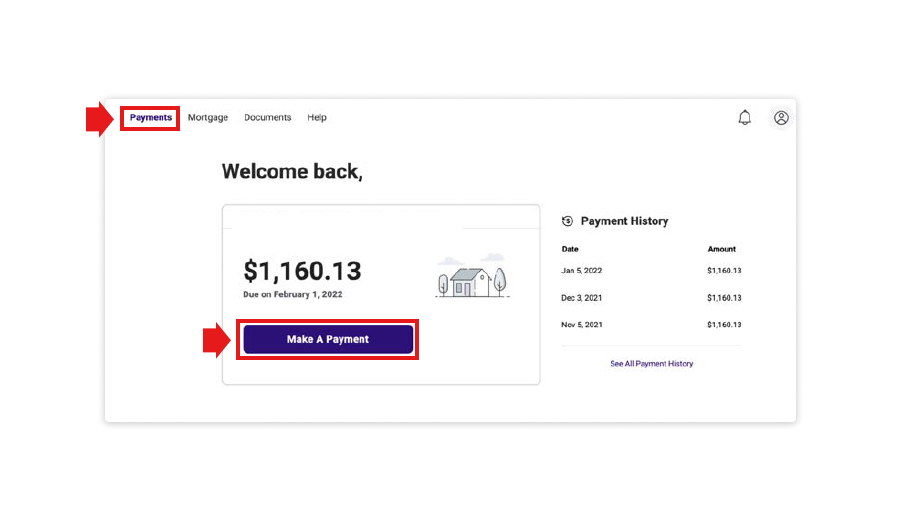
3. On the main menu, at the top of the screen, select the “Payments” option and click “Make A Payment”.
4. Select “Set Up Autopay”.
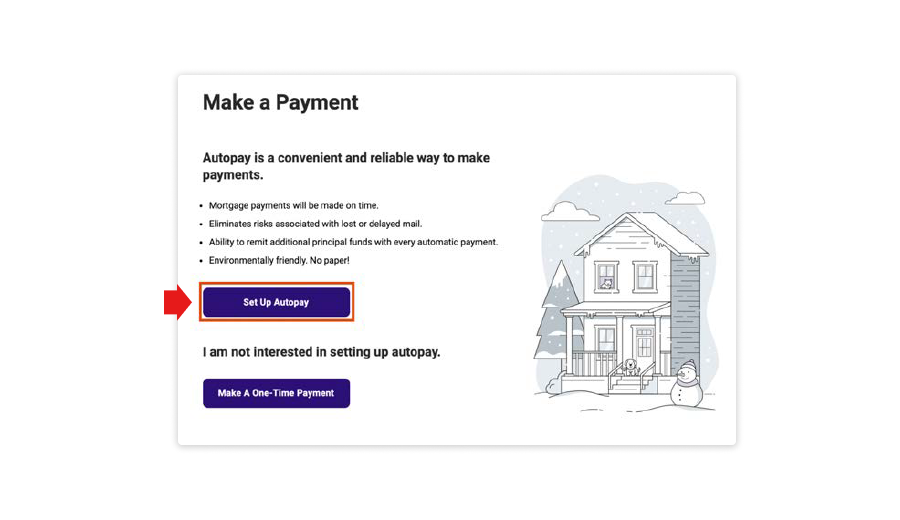
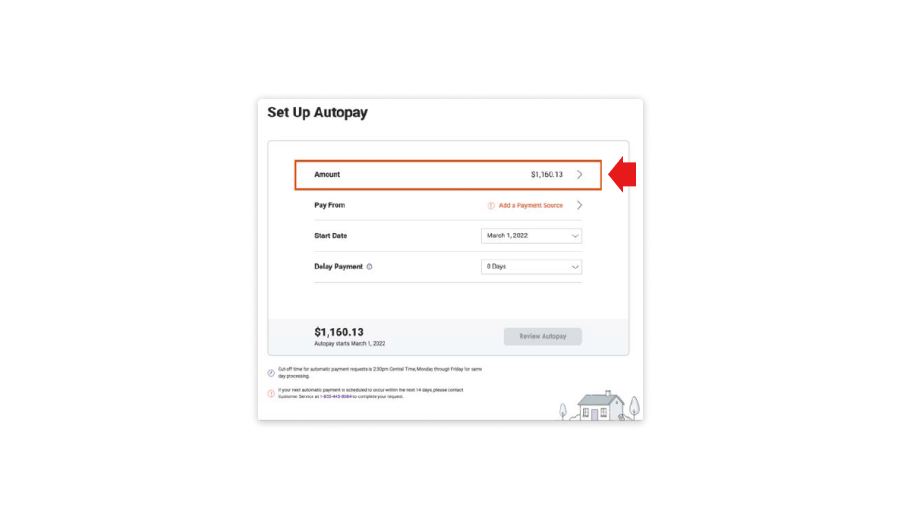
5. On the “Set Up Autopay” screen, the regular monthly payment amount will be pre-populated. To make changes to the amount, select the “Amount” line to go to the “Edit Autopay Amount” screen.
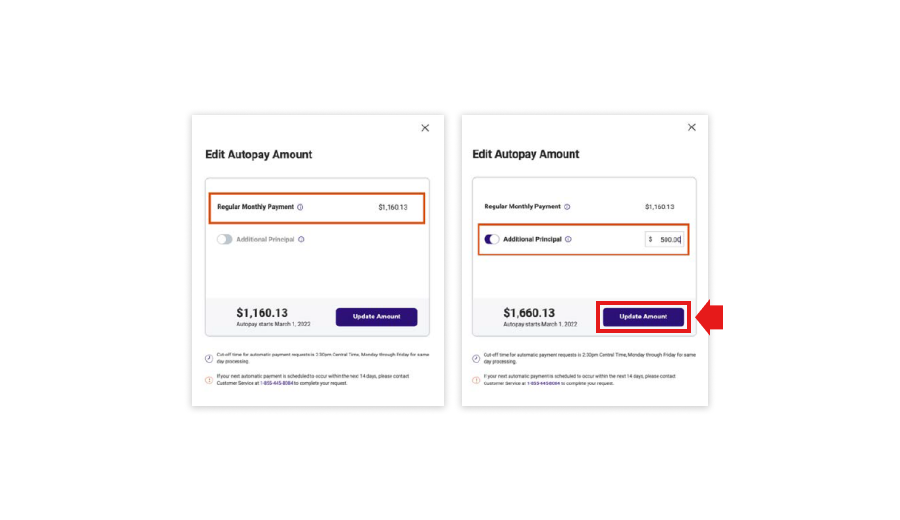
6. On this screen, the Autopay payment amount can be updated. The “Regular Monthly Payment” amount is pre-populated and cannot be changed. If additional principal is to be added to the regular monthly payments, the “Additional Principal” option can be turned on and an amount greater than zero can be entered. Click “Update Amount”.
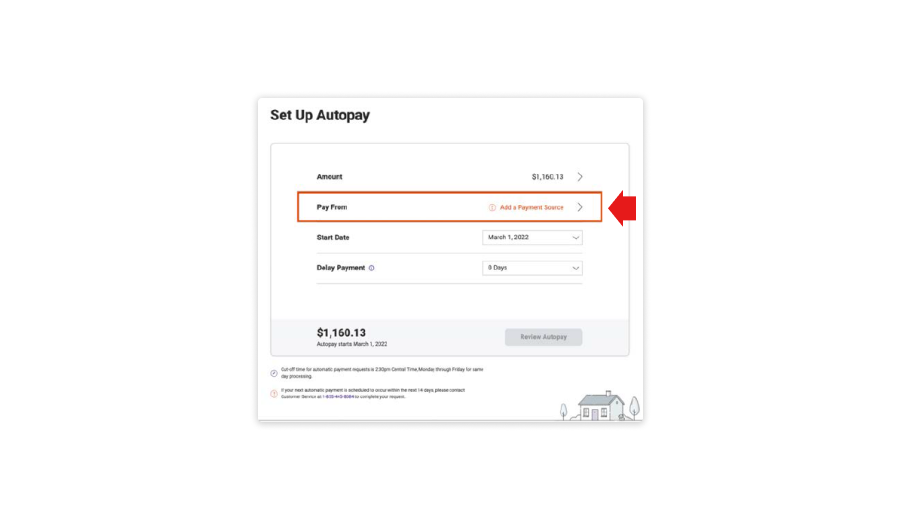
7. On the “Set Up Autopay” screen, select the “Pay from” line to add a payment source.
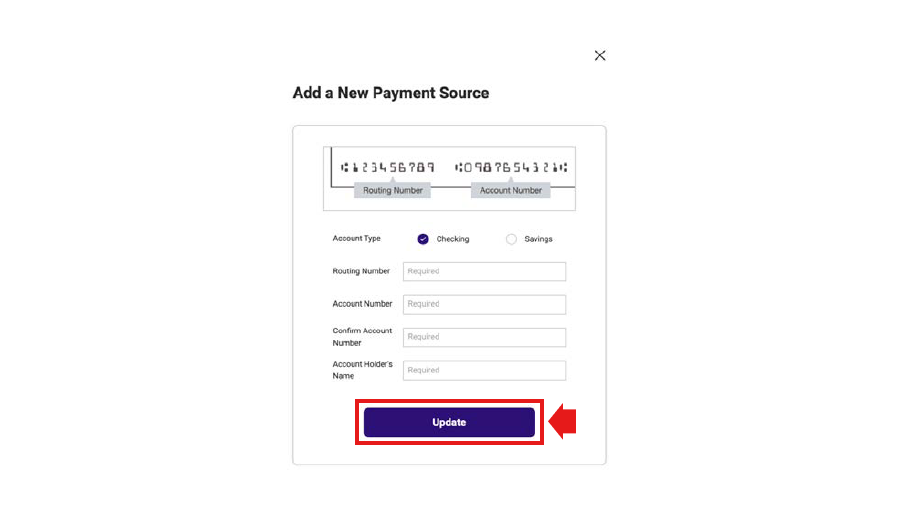
8. Enter the bank account information by completing the fields below with the account details for the payment source. Click “Update”.
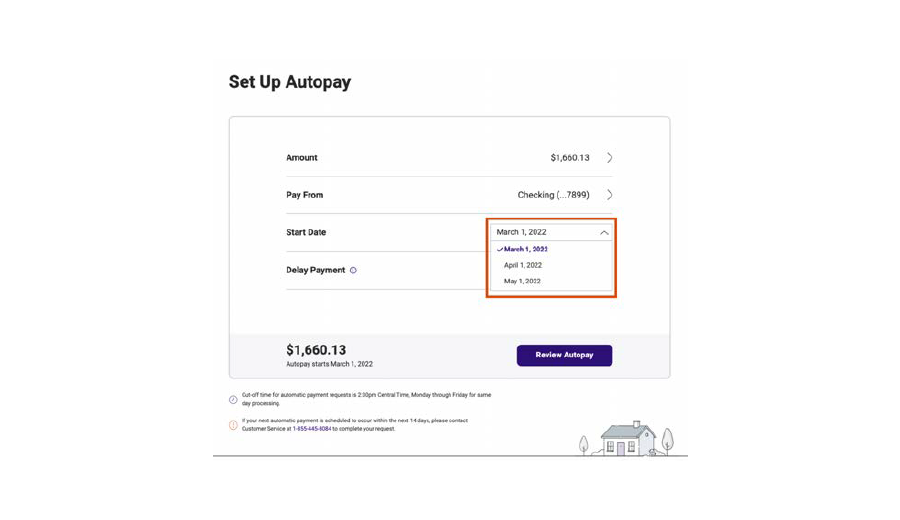
9. Once a payment source has been added, the payment account information will be reflected on the “Set Up Autopay” screen. Select the “Start Date” line to update the date on which Autopay will take effect. Available options are displayed. Select the desired date, and the new date will be reflected on the “Set Up Autopay” screen.
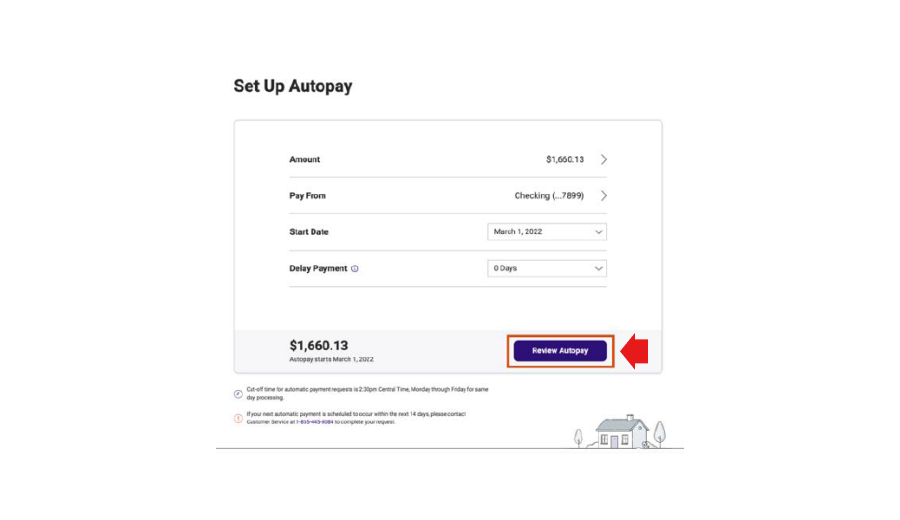
10. Once all changes have been made on the “Set Up Autopay” screen, click “Review Payment” to proceed.
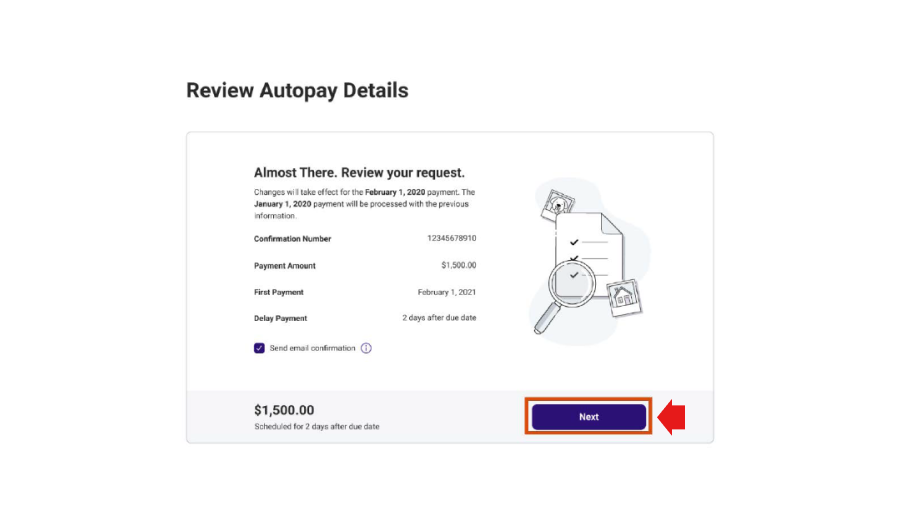
11. Review all payment information, and if everything is correct, click “Next”.
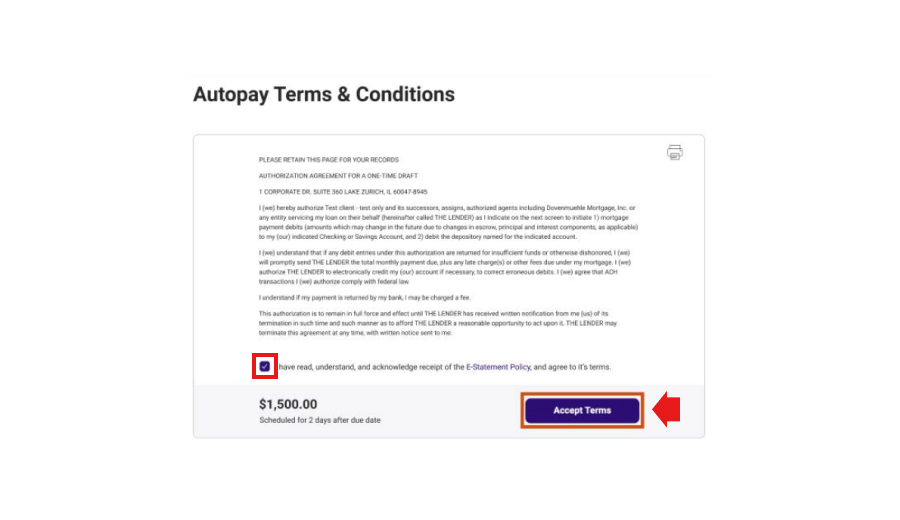
12. The terms and conditions must be accepted in order to complete autopay enrollment. The checkbox at the bottom of the screen must be clicked. Click “Accept Terms”.
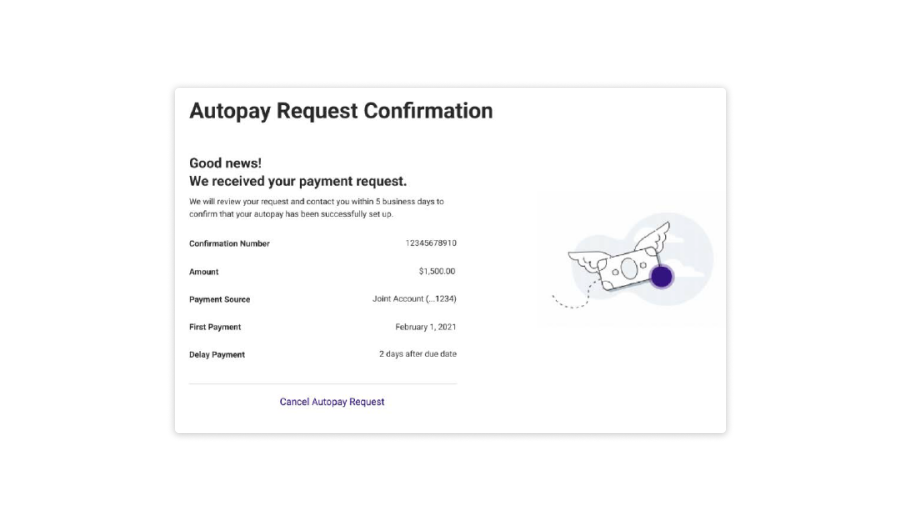
13. A message will be displayed on the “Autopay Request Confirmation” screen confirming that the request to set up autopay payment has been successfully submitted.