br
br

Learn How
 Keep Scrolling
Explore por tópico
How to Manage Travel Notice in the BB S.A. App
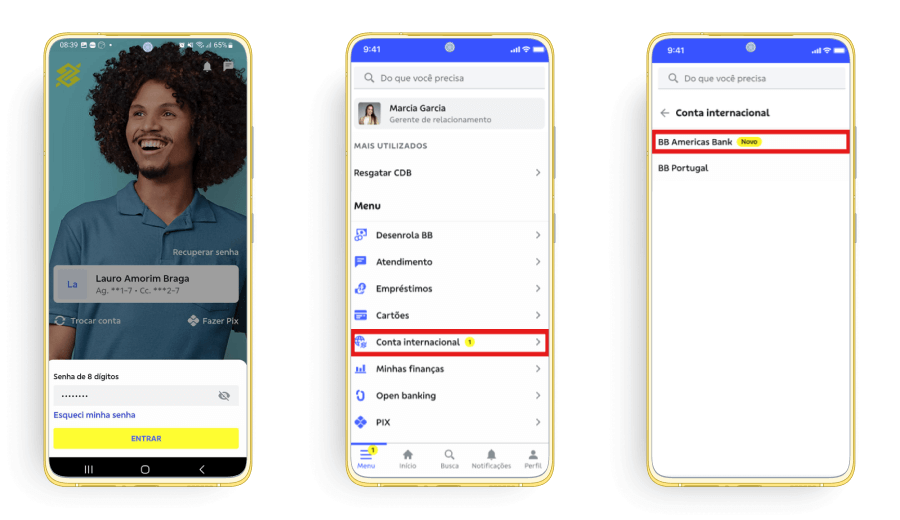
1. Access your BBA Account in the BB S.A. App
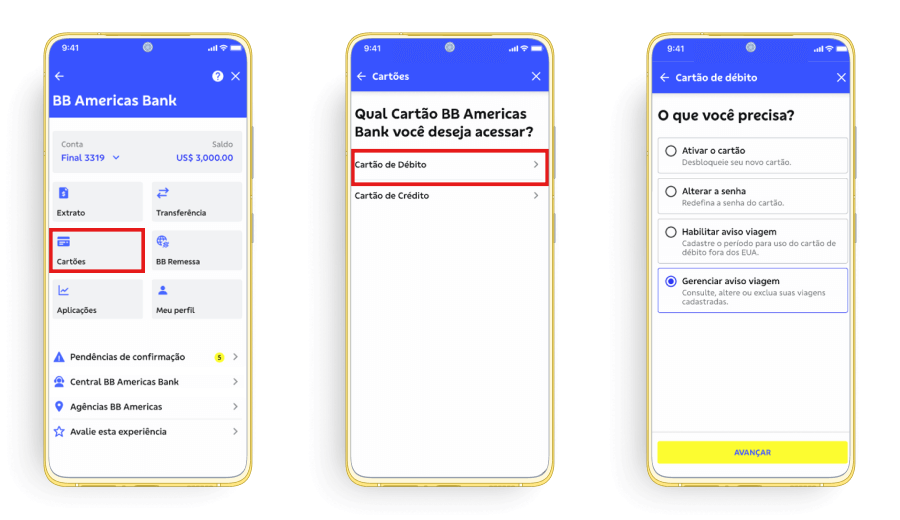
2. Click on “Cartões“ > “Cartão de débito” and select “Gerenciar aviso viagem”.
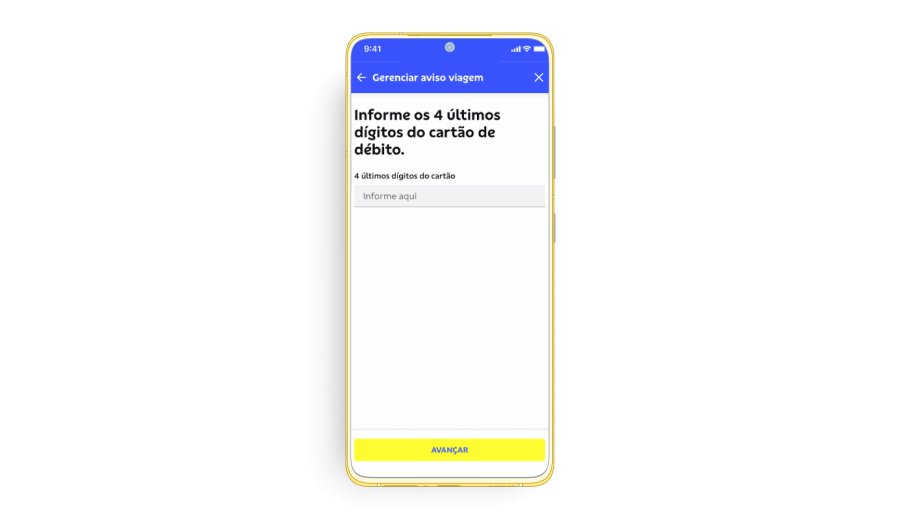
3. Enter the last 4 digits of the debit card you wish to manage the travel notice.
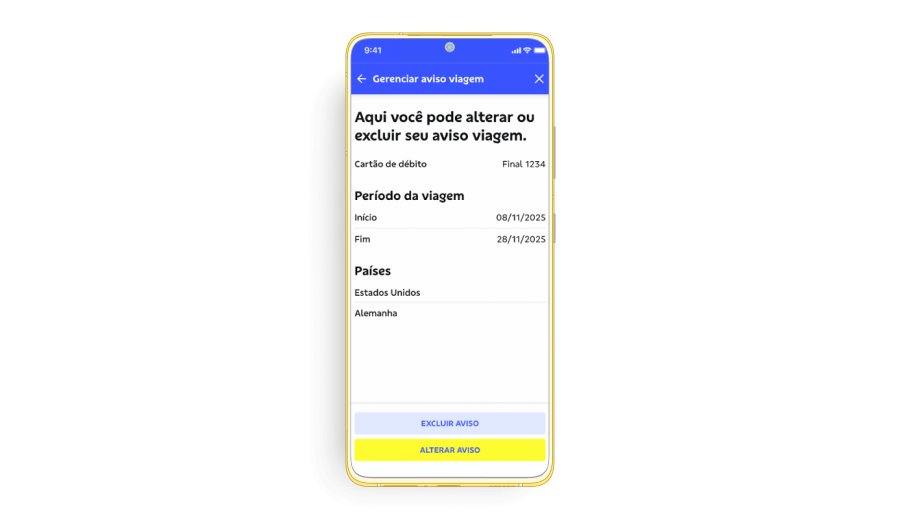
4. Select if you wish to delete or update the travel notice.