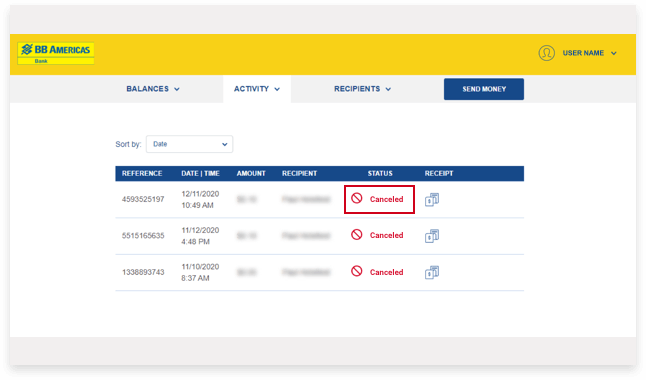
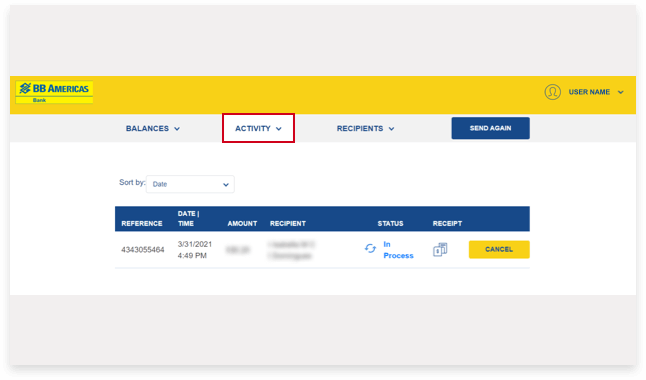
3. Select Activity from the main menu to view your recent transactions. Identify the transaction you would like to cancel and press the Cancel button to the right of the transaction.
Note: You may request cancellation of a BB Remessa transaction within 35 minutes of the request being submitted. After 35 minutes the transaction can no longer be canceled.


 br
br

 Keep Scrolling