

 br
br

Learn How
Explore por tópico
How to View Your BBA Manager's Contact Information in the BB S.A. App
1. Access your BBA account in the BB S.A. App
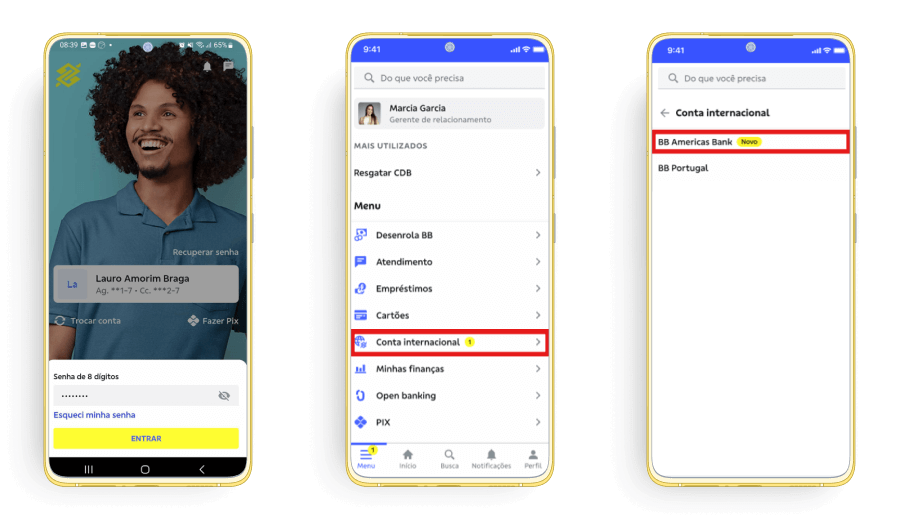
2. Click on “Central BB Americas Bank” and choose your preferred contact method.
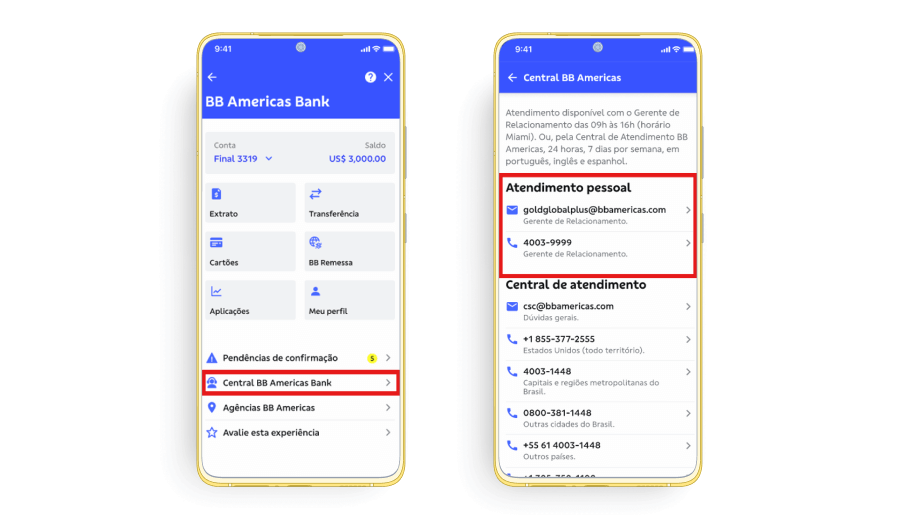
1. Access your BBA account in the BB S.A. App
2. Click on “Central BB Americas Bank” and choose your preferred contact method.