br
br

Learn How
Explore por tópico
How to View and Edit Your BBA Information in the BB S.A. App
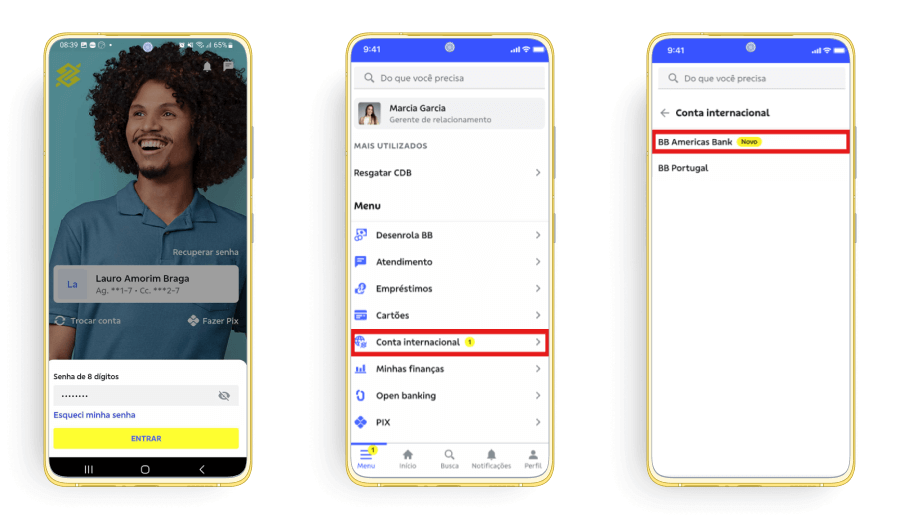
1. Access your BBA account in the BB S.A. App
2. Click on “Meu perfil” and select the type of information you want to view, add, or edit.
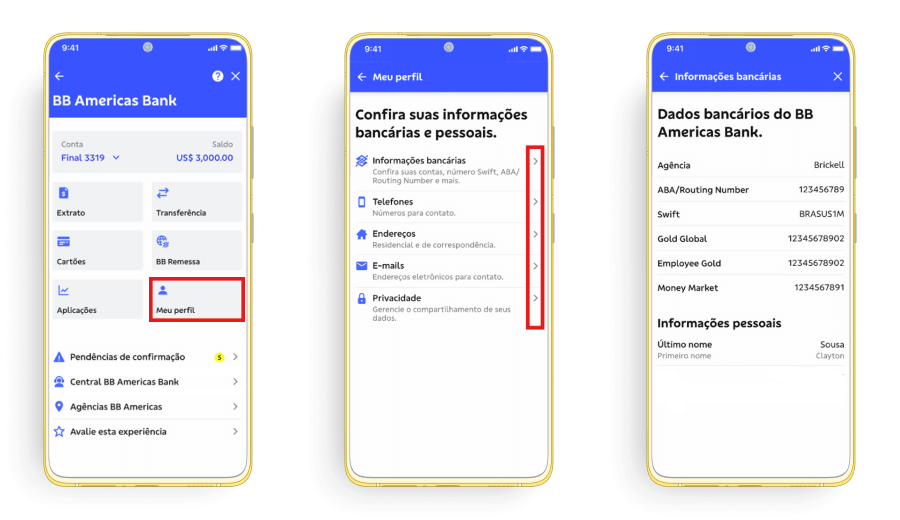
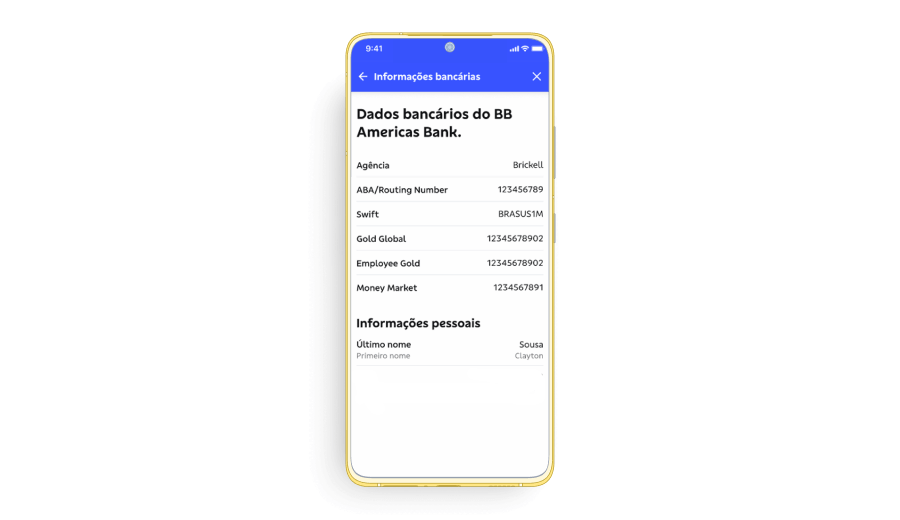
a. Select “Informações bancárias” to view details such as Routing Number, Swift, and accounts.
b. Select “Telefones” to add new phone numbers and view the list of already registered numbers.
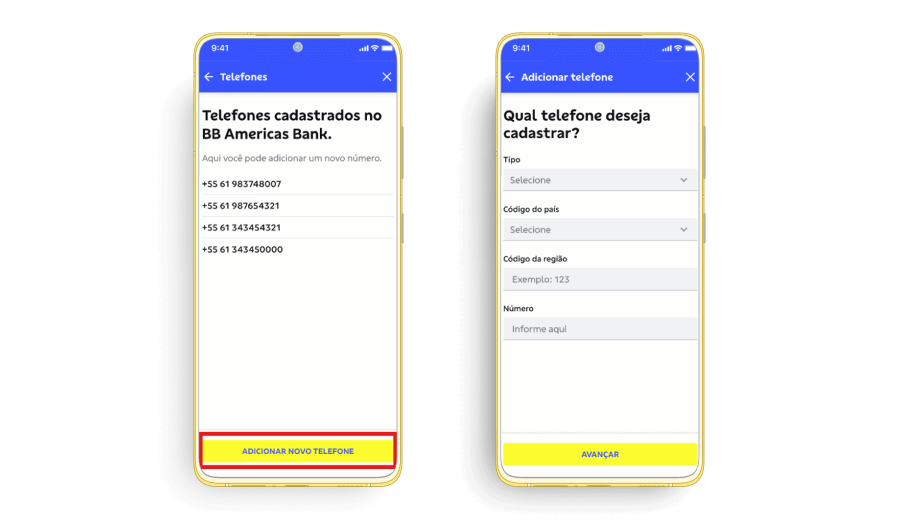
Note 1: You can add up to 5 phone numbers. If you need to delete a number from the list, please contact the BB Americas Bank Client Support Center.
Note 2: To register U.S. phone numbers, ensure you include a 3-digit area code followed by a 7-digit phone number. If the number does not meet this format, it will not be registered.
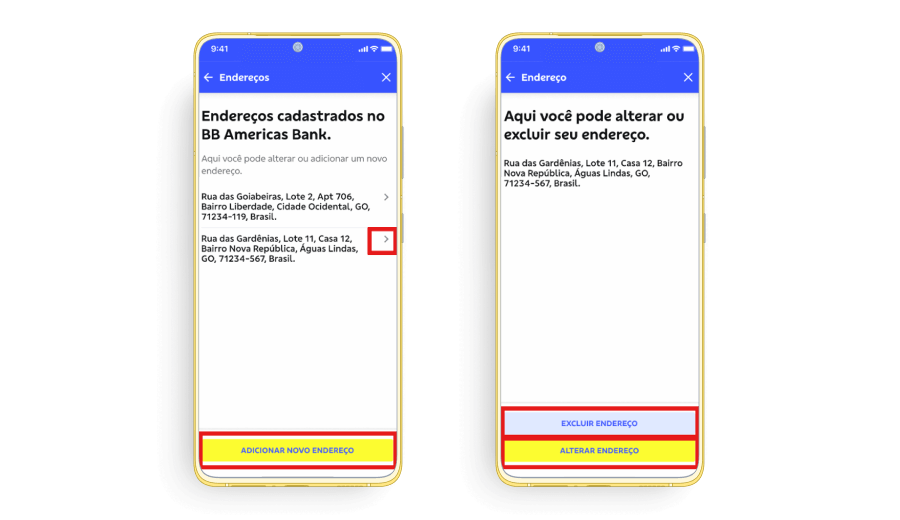
c. Select “Endereços” to add new addresses or view, edit, and delete existing ones.
d. Select “E-mails” to add new emails or view, edit, and delete registered emails.
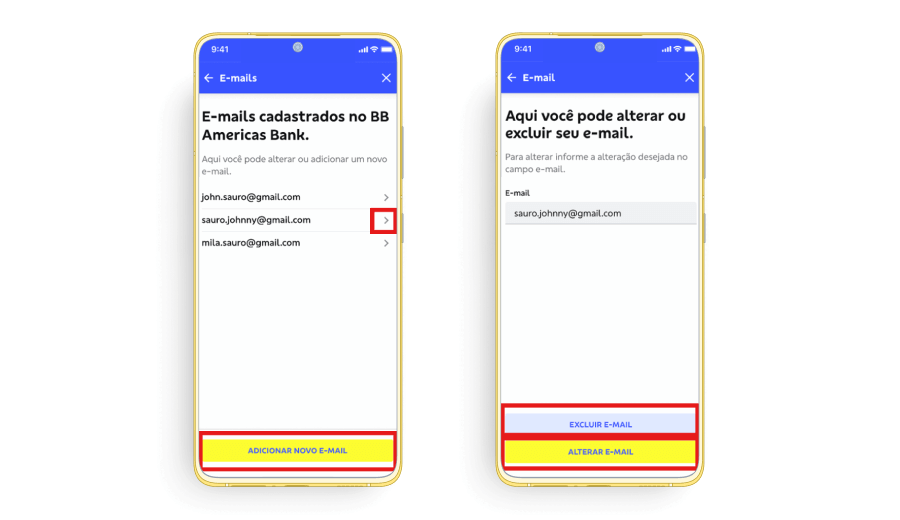
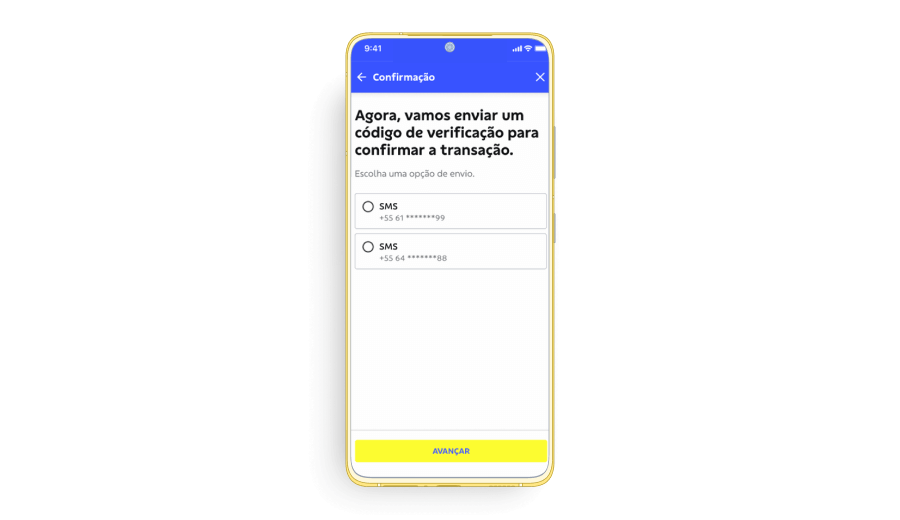
3. Confirm the information entered to add, edit, or delete data, and select a previously registered phone number to receive the verification code. If you do not recognize the listed phone numbers, contact the BB Americas Bank Client Support Center.