br
br

Learn How
 Keep Scrolling
Explore por tópico
How to start opening a Easy Account through the BB App
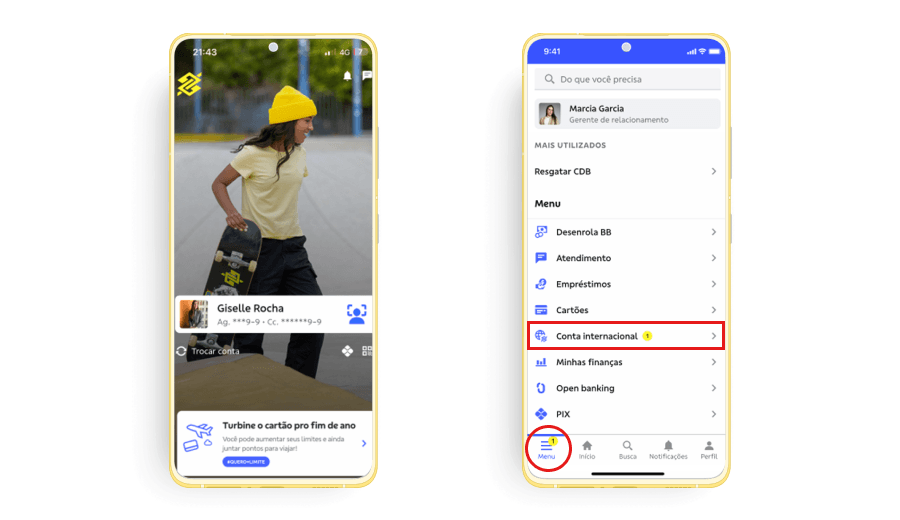
1. Access the BB S.A. App from Banco do Brasil, select Menu in the left lower corner of the screen and click Conta internacional.
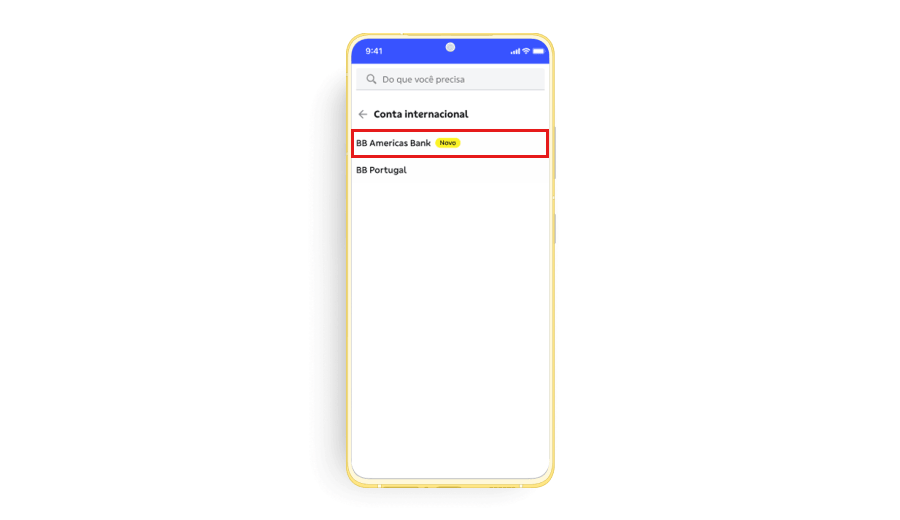
2. In the Conta internacional option, select BB Americas Bank.
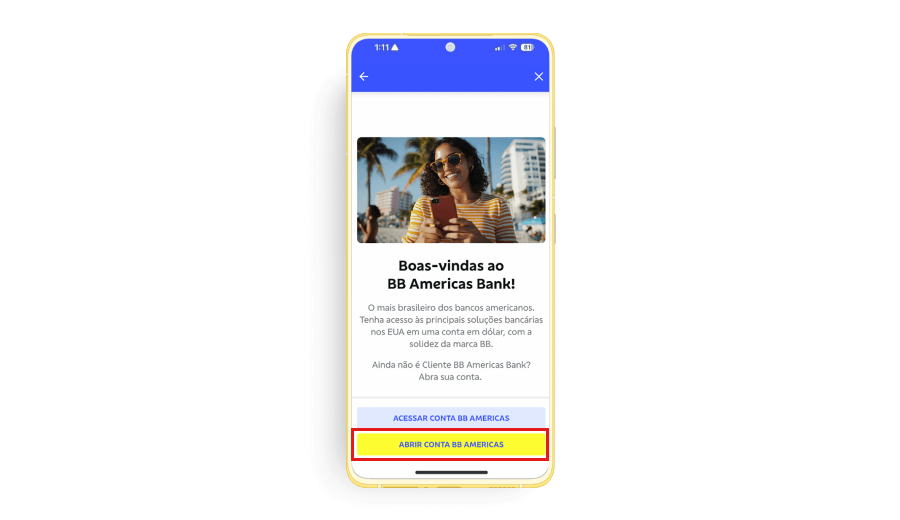
3. Click Abrir Conta BB Americas.
4. Click Avançar on the following 2 screens, and on the third screen, click Abrir Minha Conta.
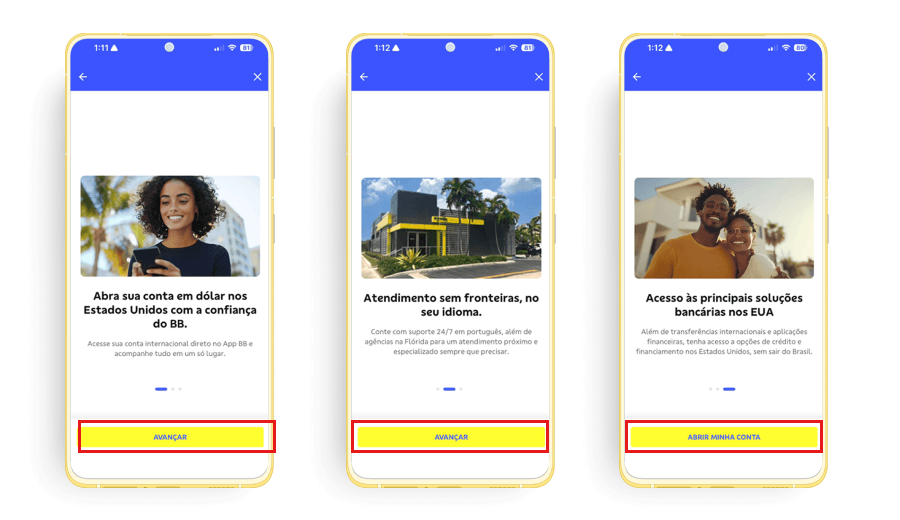
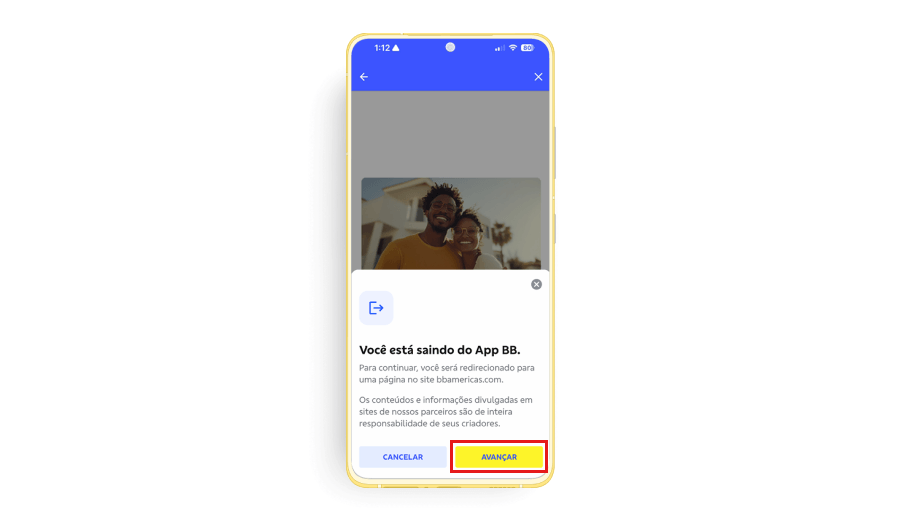
5. You will be redirected to a page on the BB Americas Bank website.
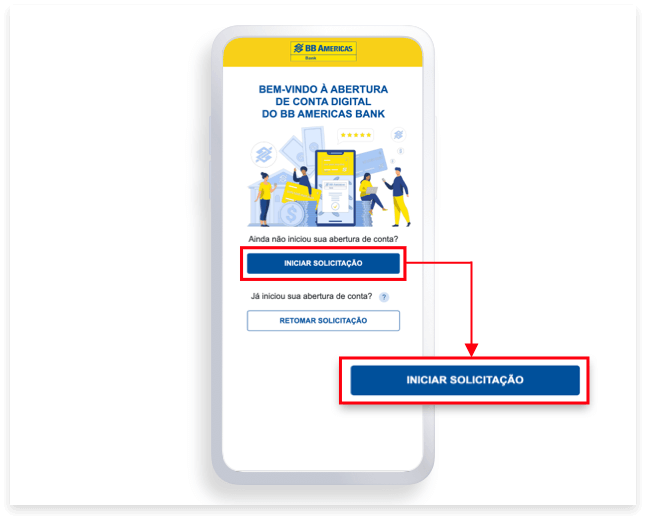
6. To start the account opening process, click on Iniciar Solicitação.
Disclaimer: This access is different from the one used for the BB S.A. App.
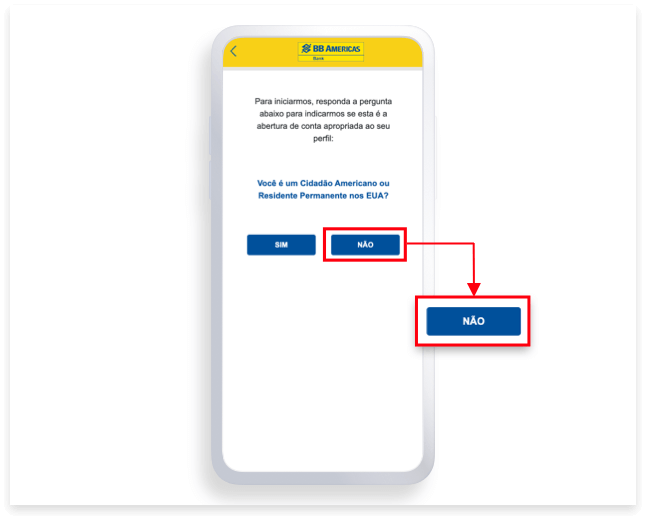
7. Click on Não if you are not a U.S. Citizens or U.S. Permanent Residents
This account is exclusive to Non-U.S. Citizens or Non-U.S. Permanent Residents
If you selected Sim, you will be directed to learn about the accounts available for your profile.
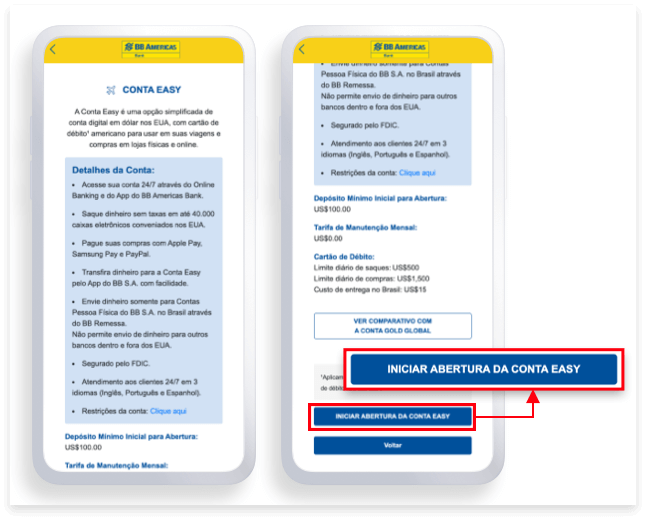
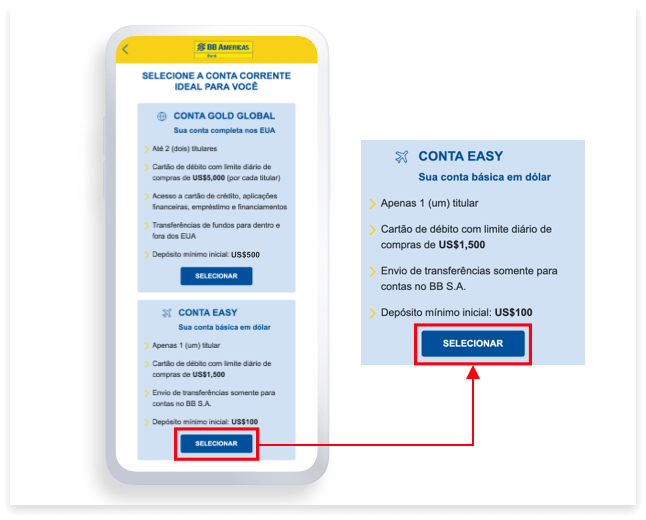
8. In the Conta Easy option, click on Selecionar to learn more and start the account opening process.
9. At the bottom of the screen click on Iniciar Abertura da Conta Easy.