br
br

Learn How
Explore por tópico
How to Request e-Money Market or e-CD Account in the BB S.A. App
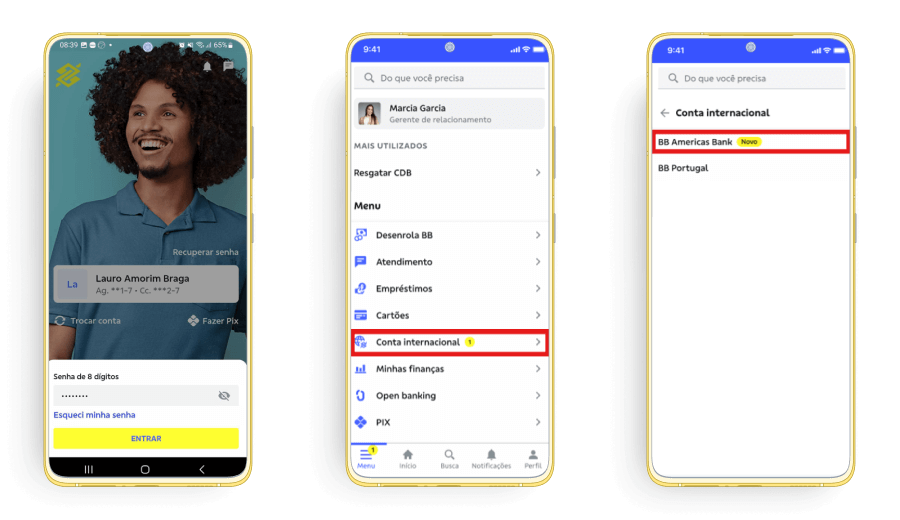
1. Access your BBA Account in the BB S.A. App.
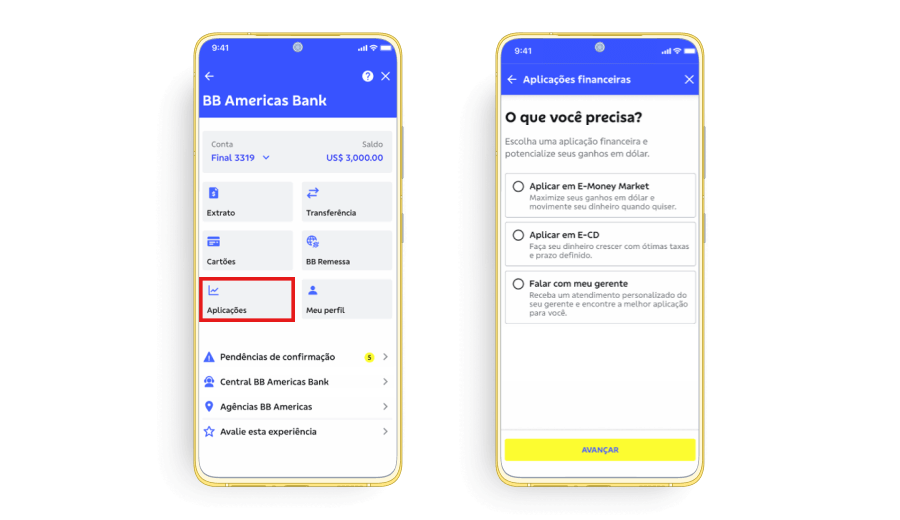
2. Click on “Aplicações”.
3. Select the e-Money Market or e-CD of your choice and click on “Avançar”. On the next screen, you can verify the details of the selected account.
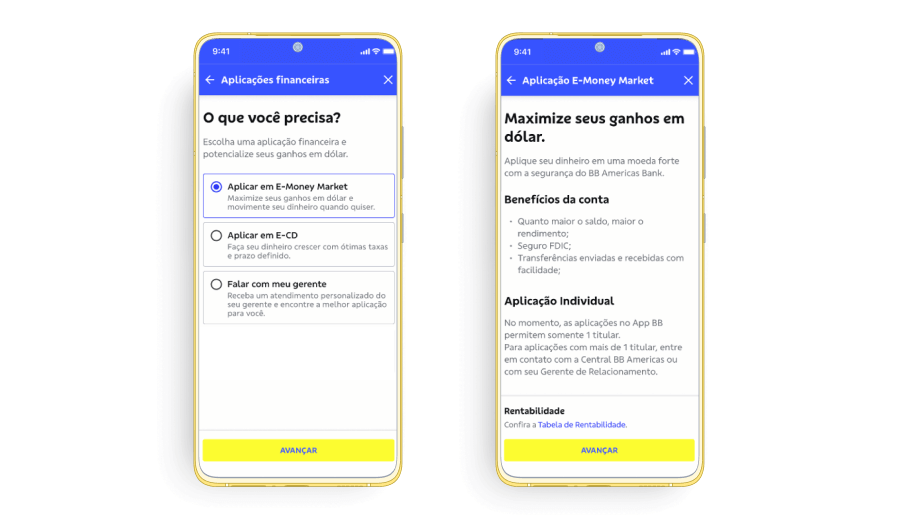
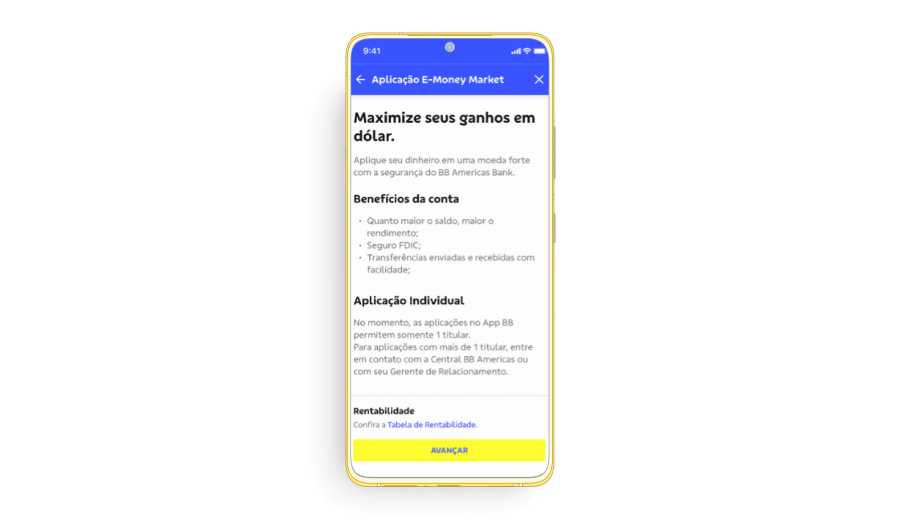
a. Click on “Confira a Tabela de Rentabilidade” to review the interest rates according to the balance of the e-Money Market or e-CD Account.
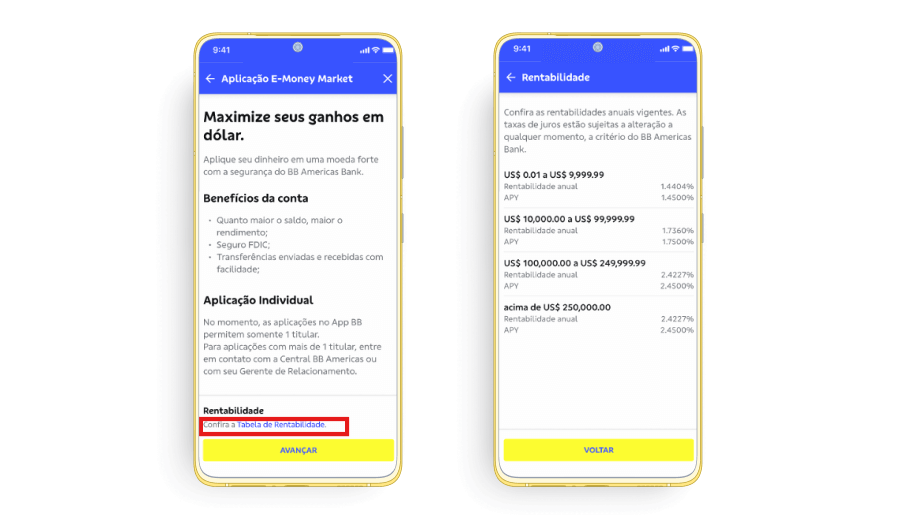
4. Click on “Avançar” to request an e-Money Market or e-CD Account.